Descript
An AI-powered video and audio editor. It transcribes your media so you can edit by changing text, not by scrubbing a timeline. Great for podcasters.
At a glance
Best for podcasters and creators who want to edit speech-heavy video like a text document.
Descript makes video editing as easy as editing a document. It's best for podcasters and creators working with speech-heavy content. The main caveat is the pricing model, which combines a subscription with usage meters that can increase your monthly cost.
Pros
- Editing video by editing text is fast and intuitive.
- AI Studio Sound dramatically improves audio quality.
- Automatically removes filler words like 'um' and 'uh'.
- Excellent for repurposing long videos into short clips.
Cons
- Pricing is complex with media hours and AI credits.
- Frequent updates can introduce bugs and performance issues.
- Transcription still requires manual proofreading.
- Not a full replacement for advanced video editors.
Pricing
A free plan includes 1 hour of media per month. Paid plans start at $16/month (billed annually) for more hours, AI credits, and higher export quality.
Review Summary
Descript is a video and audio editor with a unique approach. It transcribes your media automatically. You then edit the video by editing the text transcript. This method is incredibly fast for content heavy on speech. It is ideal for podcasters, marketers, and YouTubers. The main drawback is its pricing model. It combines a subscription fee with usage meters. These meters track media hours and AI credits. This can lead to costs higher than the advertised plan price. The software can also be buggy at times.
What is Descript
Descript is an all-in-one tool for editing spoken audio and video. It combines a screen recorder, transcriber, and editor. The core idea is simple. You import a file or record directly in the app. Descript generates a text transcript in seconds. To edit your video, you edit this document.
Deleting a sentence removes that part of the video. Copying and pasting a paragraph rearranges the corresponding clips. This workflow feels more like using a word processor than a traditional video editor. You do not need to manipulate a complex timeline. However, a timeline is available for fine-tuning.
Descript also includes a suite of AI tools. These tools can improve audio quality. They can remove filler words like "um" and "uh". They can even generate clips for social media. The platform is designed for individuals and teams. It aims to make video creation accessible to everyone.
Pros and Cons
Descript's text-based editing is its biggest strength. It makes rough cuts incredibly fast. You can edit an hour-long interview in minutes. The workflow is intuitive for anyone comfortable with documents.
AI features provide significant value. Studio Sound can rescue poor audio with a single click. It removes background noise and enhances voices. The automatic filler word removal cleans up recordings instantly. This saves hours of tedious manual editing.
However, the platform is not perfect. The pricing structure is a common complaint. Your subscription includes a set amount of media hours and AI credits. Heavy users may face extra charges if they exceed these limits. Some long-time users also report that frequent updates can introduce bugs. This can slow down performance and disrupt workflows. Finally, while powerful for speech, it is not a full replacement for professional video editors like Adobe Premiere Pro for visually complex projects.
Key Features
Descript's feature set centers on speed and AI assistance. Each tool helps you get from raw recording to finished product faster.
Text-Based Editing This is the foundation of Descript. You get an AI-powered transcript of your audio or video. You edit the media by manipulating this text. Cutting a section is as easy as highlighting and deleting words. You can rearrange scenes by moving text blocks. This approach lowers the learning curve for video editing. It makes the process feel familiar and fast.
Studio Sound Studio Sound is a powerful one-click audio enhancement tool. It uses AI to isolate speech. It removes background noise and room echo. It also EQs the voice for a rich, clear sound. This feature can make audio recorded on a laptop microphone sound like it was recorded in a studio. It is a major benefit for podcasters and creators without professional gear.
Underlord AI Co-Editor Underlord is Descript's built-in AI assistant. You can give it natural language commands. For example, you can ask it to "remove all retakes" or "create a 30-second social clip with captions." It can analyze your content and suggest edits. This automates many of the most time-consuming editing tasks. It helps you focus on the creative parts of your project.
Content Repurposing Descript excels at turning long-form content into multiple smaller pieces. You can easily highlight key moments in a long podcast. Then, you can export them as individual clips for social media. The software can automatically reformat video to square, vertical, or horizontal aspect ratios. It can also add dynamic, animated captions. This makes it a central tool for content marketing teams.
Pricing
Descript offers several plans, including a free option.
The Free plan is a great way to start. It includes 1 hour of transcription and media processing per month. Exports on this plan have a Descript watermark. It is suitable for trying the core text-based editing workflow.
The Hobbyist plan costs $16 per month when billed annually. The monthly price is $24. It includes 10 media hours per month and 400 AI credits. This plan removes the watermark and allows exports up to 1080p resolution.
The Creator plan is their most popular tier. It costs $24 per month when billed annually, or $35 paid monthly. This plan provides 30 media hours and 800 AI credits. It unlocks 4K video export and access to a stock media library.
The Business plan is $50 per month (annually) or $65 (monthly). It increases limits to 40 media hours and 1500 AI credits. It also adds team collaboration features and translation tools.
An Enterprise plan is available with custom pricing. It includes advanced security, SSO, and dedicated support.
It is important to understand the usage meters. Your monthly fee covers a specific allowance of media hours and AI credits. If your usage exceeds these amounts, you may need to purchase top-ups.
Final Verdict
Descript is an excellent choice for specific creators. Podcasters, interviewers, educators, and marketers will love it. If your work involves editing spoken-word content, the text-based workflow is a huge time-saver. It makes video editing accessible and fast.
The main dealbreaker is its potential instability and complex pricing. If you need rock-solid performance for deadline-critical projects, the occasional bug might be frustrating. The usage-based pricing can also lead to unpredictable costs for high-volume creators. It is not a replacement for traditional editors if your work involves heavy visual effects or complex color grading.
Start with the free plan. Test it with a real project. If you find yourself editing faster and enjoying the process, the Creator plan offers a powerful set of tools for a reasonable price.
See Descript in Action
Watch real tutorials and reviews to help you decide if this is the right tool for you.

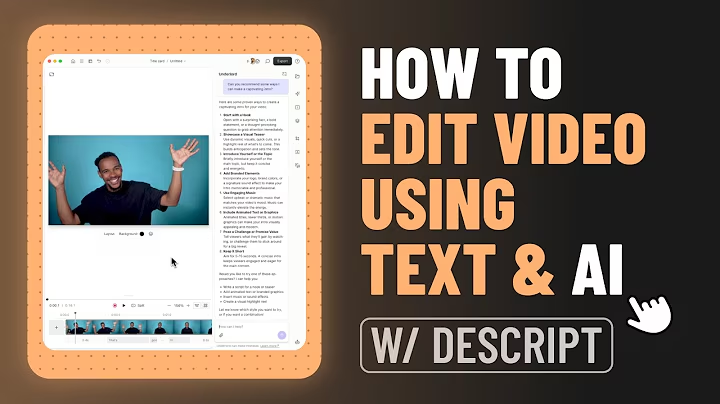
Learn Descript, the best AI video editor, in this step-by-step beginners tutorial! Master AI video editing, eye contact correction, AI voice cloning, and much more. ✅ Get Started With Descript: https://meticsmedia.com/descript-GARI This Descript beginner’s video will teach you how to use powerful AI video editing tools such as: ✔ Automatic Eye Contact Correction ✔ AI Voice Cloning ✔ Podcasting Tools ✔ Text-to-Speech ✔ Captions & Subtitles ✔ Studio Sound ✔ AI Video Editing ✔ Plus so much more! Whether you’re editing a video, podcast, voiceover, or training, Descript’s AI-powered tools will help you edit your next project like a pro. 📍 Exclusive Deals & Discounts: https://meticsmedia.com/deals ⏱️ Timestamps 0:00 Intro 0:35 Sign Up For Descript 1:32 Home Dashboard 2:28 New Project & Importing Media 3:44 Transcript Editor & Scenes 4:25 Underlord & Edit For Clarity 7:46 Studio Sound 8:43 Eye Contact 9:30 Green Screen 10:07 Other Look Good AI Tools 10:33 Adding Scenes & Changing Layouts 14:08 Layers 14:53 Captions, Transcript Corrections, & Dubbing 18:50 Timeline Editor 20:52 Creating Viral Clips, Highlights, & Compositions 23:44 Miscellaneous Descript Tools 25:49 Exporting Video 27:17 Learn Descript 📄 Disclosure Some of the links are affiliate links. If you make a purchase through them, I earn a small commission at no extra cost to you. This helps us keep our videos free for everyone.