8 Best AI Voice Translator Apps in 2026 (Phone, Watch & Earbuds Tested)
We tested 8 AI voice translator apps and dedicated hardware devices in November 2026 across tabletop split-screen conversations, standalone Apple Watch and Wear OS captions, language gaps, and real pricing.
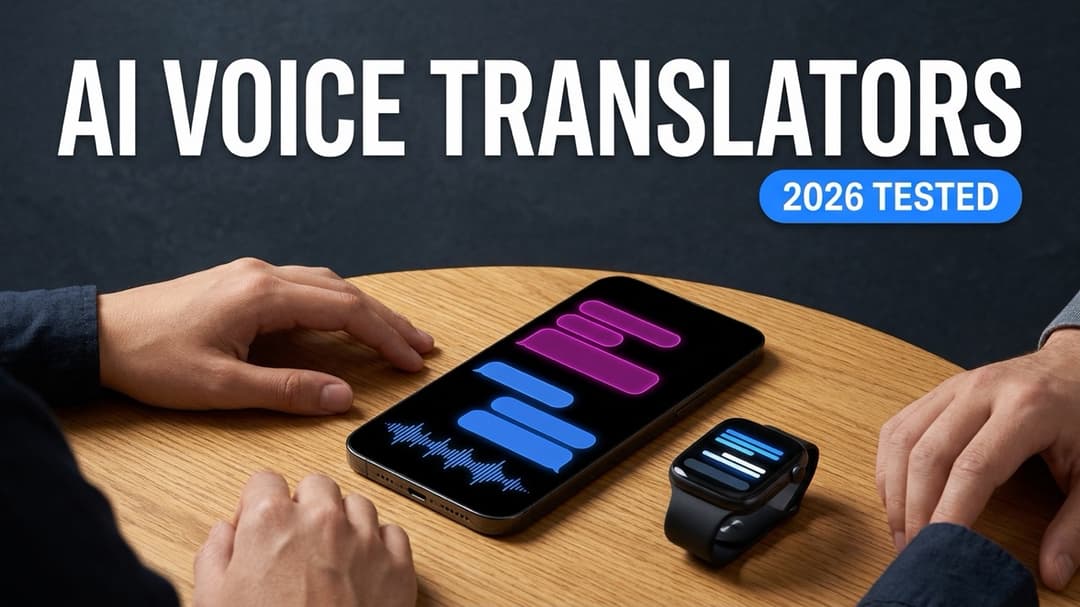
Methodology note: Spoken language counts, standalone smartwatch support, and subscription pricing were verified against each vendor's public documentation, App Store, and Google Play listings in November 2026.
Two major shutdowns reshaped real-time voice translation over the past two years: Amazon pulled the plug on SayHi Translate in August 2024, and Microsoft retired Translator multi-device Conversation mode on June 30, 2026. Meanwhile, Apple's heavily marketed AirPods Live Translation still covers just 9 spoken languages, leaving travelers in Bangkok, Hanoi, Dubai, Tel Aviv, Athens, or Manila staring at a phrasebook the moment a conversation speeds up.
Most listicles of AI productivity tools score translation apps by pasting written paragraphs into a text box. Live human conversation breaks in four completely different places: awkward pass-the-microphone pauses across a noisy dinner table, missing regional languages, captive hotel or airport Wi-Fi that stalls speech streams mid-sentence, and auto-renewing $9.99/week tourist traps that bill your card three months after you fly home.
We tested 7 leading AI voice translator apps plus the top 2 dedicated hardware translators ($299 to $449) across phone, smartwatch, and earbud setups in November 2026. Below is how each option handles real face-to-face speed, wrist captions, language coverage, and pricing.
Quick Decision Matrix: Pick by Conversation Setup
- Best overall for one-phone tabletop conversations + standalone Apple Watch & Wear OS captions: Hey Interpreter (60 spoken languages,
180°#000000OLED split-screen,Listenroom subtitles; 3-min free preview,$14.99non-renewing 14-Day Trip Pass, or$59.99/yrwith 7-day trial). - Best free offline fallback + printed menu camera OCR: Google Translate (
$0, 70+ voice conversation languages, offline packs, Lens camera scan; no Apple Watch or official Wear OS app). - Best for formal European & Japanese corporate phrasing + Zoom/Teams QR captions: DeepL Voice (
$13/mofor 300 mins/mo up to$38/mofor 600 mins/mo; metered caps, no smartwatch app). - Best built-in free iOS card for major Western European pairs: Apple Translate & AirPods Live Translation (
$0on iPhone, 19 iPhone languages / 9 AirPods languages; misses 41 languages including Tagalog, Greek, Hebrew, and Thai on AirPods). - Best free honorific toggle for Korea & Japan trips: Naver Papago (
$0, polite vs casual Korean honorific switch; 14 total languages only). - Best walkie-talkie push-to-talk flip UI on iPhone + Apple Watch: iTranslate Converse / Pro (
$12.99/moor$99.99/yr, 38 voice languages; voice locked behind paid subscription). - Best free basic single-mic speech translator on Windows & mobile: Microsoft Translator (
$0, 70+ voice languages; multi-device Conversation mode retired June 30, 2026). - Best dedicated hardware for scheduled corporate headset sessions: Timekettle W4 Pro (
$449) & Pocketalk S2 ($299) (strong dual-mic isolation, but requires sharing headsets or carrying a second battery brick).
2026 AI Voice Translator Comparison Matrix
| App / Device | Spoken Languages | Conversation Flow | Standalone Watch App | Offline / Network Handling | Verified Nov 2026 Price | Main Catch |
|---|---|---|---|---|---|---|
| Hey Interpreter | 60 spoken | Continuous 180° #000000 OLED split-screen + Listen room subtitles (zero mic tapping) | Yes (watchOS Apple Watch + Wear OS Pixel/Galaxy) | Captive-portal Wi-Fi to 5G/LTE auto-fallback | 3-min free preview; $14.99 14-Day Trip Pass (once); $59.99/yr (7-day trial) or $6.99/wk | Requires cellular or Wi-Fi for live streaming; no camera menu OCR |
| Google Translate | ~70+ voice (240+ text) | Turn-taking dual-mic or single-mic pauses | No (no Apple Watch or official Play Store Wear OS app) | Downloadable offline phrase packs + Camera Lens | Free ($0) | Turn-taking stalls natural banter; no wrist captions |
| DeepL Voice | ~35 spoken | Single-phone view or browser QR captions + Zoom/Teams add-on | No | Cloud-only streaming | $13/user/mo (300 min/mo cap) to $38/user/mo (600 min/mo cap) | Metered minute anxiety (5-10 hrs/mo cap); B2B checkout |
| Apple Translate + AirPods | 19 iPhone / 9 AirPods | Face-to-face iOS card or hands-free AirPods Pro audio | Apple Watch (19 base languages only; no Android/Wear OS) | On-device offline packs supported | Free ($0) (AirPods Live requires compatible AirPods + Apple Intelligence iPhone) | Missing 41 languages on iPhone; AirPods omits Thai, Vietnamese, Russian, Arabic, Hindi |
| Naver Papago | 14 total | Turn-taking dual-button voice + Korean honorific switch | No | Limited offline phrase packs + strong Hangul OCR | Free ($0) | Capped at 14 languages; weak outside East & Southeast Asia |
| iTranslate Converse | 38 voice | Flip-phone push-to-talk walkie-talkie (Converse) | Apple Watch (watchOS push-to-talk only) | Selected offline packs on Pro | $12.99/mo, $99.99/yr, or ~$7.99/wk | Push-to-talk pauses; $99.99/yr auto-renews with no one-time Trip Pass |
| Microsoft Translator | ~70+ voice | Single-mic speech & split-screen button press (Conversation rooms retired Jun 30, 2026) | No (watchOS app discontinued) | Downloadable offline packs | Free ($0) | Multi-device QR Conversation mode shut down June 30, 2026 |
| Timekettle W4 Pro / Pocketalk S2 | 40 (W4 Pro) / 85+ (S2) | Shared dual open-ear headsets (W4 Pro) or push-to-talk brick (S2) | No (separate dedicated hardware) | Limited offline pairs ($449 W4 Pro); 2-yr eSIM ($299 S2) | $449 (Timekettle W4 Pro) / $299 (Pocketalk S2) | Awkward sharing earbuds with strangers; extra device to charge |
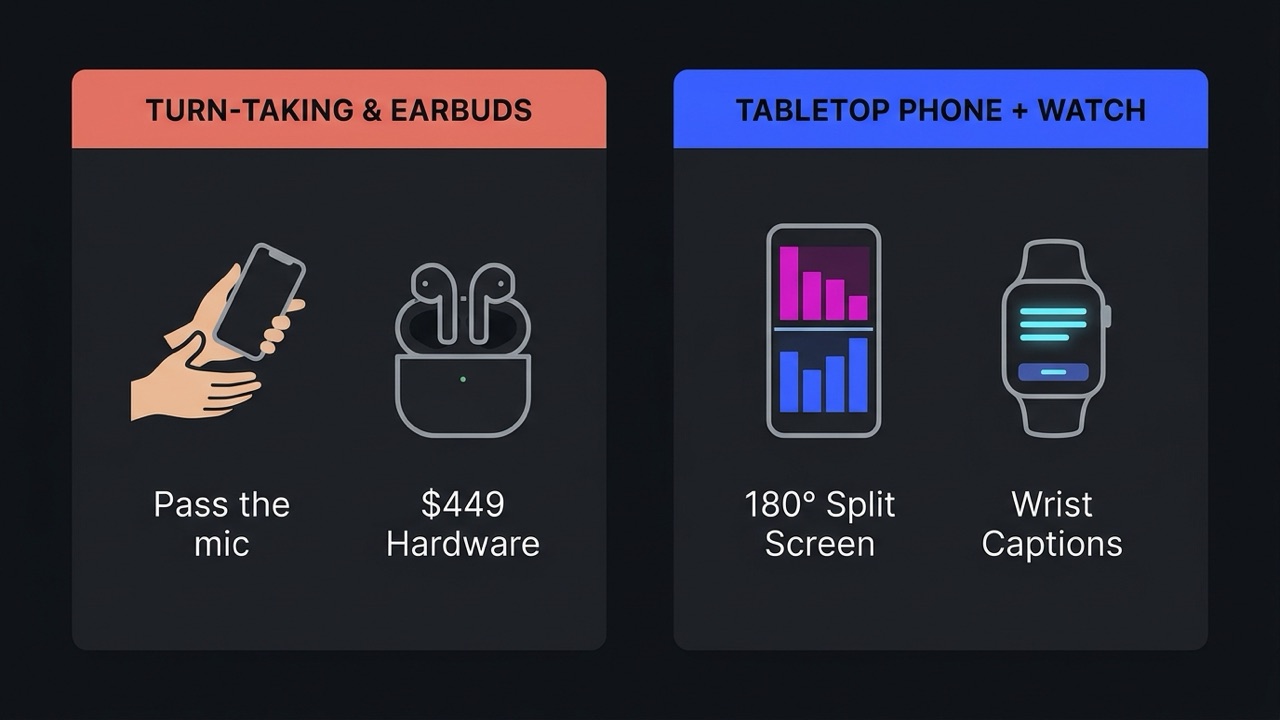
4 Real-World Tests Where Voice Translators Fail
When we tested live speech apps across noisy cafes, hotel lobbies, and multilingual rooms, four practical bottlenecks separated everyday winners from frustrating demos:
- The "Pass the Mic" Bottleneck: Traditional apps make Person A tap a microphone icon, speak one rigid sentence, wait for text-to-speech audio to finish, and point the screen across the table so Person B can tap their button. Real conversations overlap. A flat tabletop
180°split-screen that listens continuously in both directions lets two people talk at normal human cadence and read translations while the other person is still finishing their thought. - The Hidden Language Cliff: Marketing pages advertise "100+ languages" by counting text-only dictionary entries. Once you switch to live two-way voice or earbud streaming, language counts drop sharply: Apple Translate falls to 19 languages on iPhone and just 9 on AirPods Live Translation, while Papago stops at 14.
- Captive-Portal Wi-Fi Freezes: Travelers constantly walk out of hotel elevators, clinics, and airport gates where the phone stays connected to a dead Wi-Fi router waiting for a browser login screen. Standard cloud apps hang with a spinning loader for 15 seconds until you manually toggle Wi-Fi off.
- Subscription Traps vs Trip Passes: Most travelers need intensive live voice translation for a 10-day Japan trip or a two-week family visit, not a
$99.99/yearor$7.99/weekauto-renewing subscription they forget to cancel after jet lag.
Note that live face-to-face voice translation is a separate category from recorded media transcription. If your goal is extracting searchable text, SRT subtitles, and on-screen slide OCR from recorded YouTube videos, lectures, or Reels rather than speaking across a table in real time, jump to our tested best YouTube transcript generators guide instead.
1. Hey Interpreter: Best Overall for Tabletop Conversations & Standalone Watch Captions

Two-way live voice translator and room subtitles for phone and smartwatch across 60 languages.

Native two-way live voice translator and room subtitle app across 60 languages for iPhone, iPad, Apple Watch, Android, and Wear OS, with 180° tabletop split-screen and standalone wrist captions.
Hey Interpreter was engineered around the exact gap left behind when Amazon shut down SayHi Translate and Microsoft retired multi-device Conversation mode. Download it on the iOS App Store (with Android and Wear OS also supported), pick your language and your partner's from 60 spoken languages, and lay one phone flat on the table between you.
In Talk mode, the screen switches to a pure #000000 OLED 180-degree tabletop split-screen: the top half flips upside-down facing the person across from you, the bottom half faces you, and speaker lines stay color-coded (#4F8BFF blue for you, #FF4FA3 magenta for them). Neither person taps a microphone button or waits for turn-taking beeps. Words stream onto each half in under a second while you are still speaking, and tapping any bubble triggers Speak aloud TTS when handing an address to a taxi driver.
Three hardware and network details stood out in our testing:
- Standalone Smartwatch Live Captions (
watchOS&Wear OS): Unlike phone-tethered companion widgets, Hey Interpreter's dedicated Apple Watch translator and Pixel/Galaxy Watch (Wear OS) app start live sessions straight from your wrist while your phone stays in your pocket. You scroll lines with the Digital Crown or rotating bezel, feel a subtle haptic tap as new sentences arrive, and launch in one tap from watch face complications or Smart Stack widgets. ListenRoom-Subtitle Mode with Native Script: At a group family dinner, boarding gate, or town hall,Listenmode auto-detects which of the 60 languages is being spoken and subtitles the entire room line by line, with an optional toggle to display the original native script (Thai,Japanese,Hebrew,Cyrillic,Arabic,Hangul) right below your translation so intermediate learners can follow along like synced lyrics.- Captive-Portal Cellular Fallback & Zero Retention: When hotel or cafe Wi-Fi silently stalls behind a sign-in wall, Hey Interpreter automatically routes live speech over 5G/LTE without dropping the session. Audio streams with zero server retention (never stored or used to train models), and local history auto-deletes after 7 days or turns off completely.
If you are migrating from Amazon's discontinued app, see Hey Interpreter's side-by-side SayHi Translate alternative breakdown for a full language and UI comparison.
Verified November 2026 pricing:
- Free instant preview: 3-minute live voice preview with zero account signup required (plus
+30 bonus minutesfor both people via friend referral). - 14-Day Trip Pass:
$14.99one-time payment (two full weeks of phone + watch access; no subscription and never auto-renews). - Pro Yearly:
$59.99/year(starts with a 7-day free trial, cancel anytime in App Store or Google Play settings before Day 8). - Pro Weekly:
$6.99/week, with regional purchasing-power pricing across 175 territories.
Use another tool instead when: You are trekking completely off-grid with zero cellular signal (download offline phrase packs in Google Translate before leaving), or you want point-and-shoot camera OCR to translate a printed paper menu.
2. Google Translate: Best Free Offline Backup & Camera Menu Scanner
Google Translate remains the universal swiss-army knife to keep installed on every travel phone, and it costs nothing. Across text and web pages it spans 240+ languages, while its two-way voice Conversation mode covers roughly 70+ spoken languages, backed by downloadable offline phrase packs and Google Lens camera overlays that translate printed train signs and restaurant menus in place.
Where Google Translate shows its age is extended face-to-face dialogue and wearable support:
- Turn-taking pauses in real rooms: In noisy izakayas or clinics, Google's automatic mic handoff frequently clips the start of replies or waits awkwardly for silence before flipping directions, pushing users back to manual left/right mic tapping.
- Zero smartwatch presence: Google has never shipped an official Google Translate app for Apple Watch (
watchOS), and there is still no official standalone Google Translate app available to install on Wear OS watches from the Play Store.
Verified November 2026 pricing:
- Free:
$0across iOS, Android, and Web (no paid consumer tier).
Use Google Translate when: You need a $0 offline phrasebook in a dead cellular zone or want instant camera OCR on printed signs and menus. Pair it with Hey Interpreter when you sit down for a 45-minute dinner conversation or want live subtitles on your watch.
3. DeepL Voice: Best for Nuanced European Business Phrasing & Zoom/Teams Captions
DeepL Voice brings DeepL's respected neural translation engine from written documents into live speech via two corporate products: DeepL Voice for Conversations (one-on-one mobile speech with optional QR-code browser captions for a guest's phone) and DeepL Voice for Meetings (live translated captions inside Zoom and Microsoft Teams). On formal German, French, Dutch, Spanish, and Japanese business terminology, DeepL's custom glossaries keep brand and legal nouns remarkably clean.
For everyday travelers, expats, and consumers, however, DeepL Voice carries three steep hurdles:
- Strict monthly minute caps: Standard plans meter spoken audio at
300 minutes/month(5 hours) on the$13/user/monthtier and600 minutes/month(10 hours) on the$38/user/monthtier. One weekend with overseas in-laws can burn an entire month's allowance, creating constant clock-watching anxiety. - Narrower spoken language count: DeepL Voice supports roughly 35 spoken languages, missing nearly two dozen languages available in 60-language consumer tools.
- No smartwatch app or Trip Pass: DeepL offers no Apple Watch or Wear OS app and sells annual business seat subscriptions rather than casual two-week travel passes.
Verified November 2026 pricing:
- Free tier: None for continuous DeepL Voice plans (standard text/voice snippets only in free consumer DeepL).
- Voice for Conversations:
~$13/user/monthbilled annually (300 minutes/monthspoken audio cap). - Voice for Meetings / Bundle:
~$38/user/monthbilled annually (600 minutes/monthcap, Zoom & Microsoft Teams caption integration). Enterprise unlimited tiers require sales quotes.
Use DeepL Voice when: Your company already standardizes on DeepL glossaries and needs compliant translated captions inside Zoom or Microsoft Teams calls. Skip it if you want unmetered vacation dinners, smartwatch captions, or 60-language breadth.
4. Apple Translate & AirPods Live Translation: Best Free iOS Built-In (for 9 to 19 Languages)
Apple Translate ships pre-installed on every modern iPhone with a clean face-to-face split card, optional on-device offline mode, an Apple Watch companion app, and AirPods Live Translation on compatible AirPods Pro paired with an Apple Intelligence iPhone. If you are an iPhone owner ordering coffee in Paris, Madrid, Berlin, or Tokyo, trying Apple's built-in app first is a sensible $0 move.
The catch is Apple's steep language cliff as of November 2026:
- iPhone & Apple Watch cap at 19 base languages: Apple Translate omits 41 spoken languages supported by Hey Interpreter, leaving zero coverage for Tagalog, Greek, Hebrew, Romanian, Punjabi, Catalan, Swedish, Norwegian, Danish, Finnish, Czech, Hungarian, Malay, Swahili, and Urdu.
- AirPods Live Translation caps at just 9 languages: Step off a plane in Thailand, Vietnam, Greece, Israel, the UAE, Poland, the Netherlands, or India, and AirPods Live Translation does not support Thai, Vietnamese, Russian, Arabic, Dutch, Hindi, Turkish, Greek, or Hebrew.
- Apple-only ecosystem lock: Android phones, foldables, Pixel Watches, and Galaxy Watches cannot join or run Apple Translate.
Verified November 2026 pricing:
- Software:
$0built into iOS and watchOS. - AirPods hardware requirement: Compatible AirPods (
$179to$249) plus an Apple Intelligence-capable iPhone.
Use Apple Translate when: Both languages sit inside Apple's 9-to-19-language list and you only need quick iOS phrase exchanges. Install Hey Interpreter the moment you need Thai, Vietnamese, Hebrew, Greek, Tagalog, Eastern European, or Nordic languages on your iPhone or Apple Watch.
5. Naver Papago: Best Free App for Korean & Japanese Honorifics
Built by South Korean search giant Naver, Papago outperforms Western generalists on colloquial Korean, Japanese, and Mandarin idioms, slang, and vertical restaurant menus. Its standout control is a dedicated Honorific switch that toggles Korean speech output between polite formal phrasing (존댓말, essential when speaking to elders, shopkeepers, or taxi drivers in Seoul) and casual phrasing among close friends.
Outside East Asia, Papago hits a hard ceiling:
- Only 14 languages total: Papago supports Korean, English, Japanese, Chinese (Simplified/Traditional), Spanish, French, German, Russian, Portuguese, Italian, Vietnamese, Thai, Indonesian, and Arabic. Travelers heading to Greece, Israel, the Philippines, Eastern Europe, Scandinavia, or South Asia get zero support.
- Turn-taking voice UI & no watch app: Voice conversations still rely on alternating left/right microphone taps with no
watchOSorWear OSwrist caption app.
Verified November 2026 pricing:
- Free:
$0on iOS, Android, and Web.
Use Naver Papago when: You are traveling specifically in South Korea or Japan and want a free Korean honorific toggle plus fast Hangul photo translation.
6. iTranslate Converse / Pro: Best Walkie-Talkie Flip UI on iPhone
iTranslate is one of the oldest consumer translation brands on the App Store, offering text translation across 100+ languages and 38 voice languages inside iTranslate Converse. Instead of laying the phone flat on a table, Converse asks you to flip your iPhone upside-down so the top microphone points toward your conversation partner, then tap-and-hold the screen like a walkie-talkie while speaking.
Test the interaction and checkout flow carefully before committing:
- Push-to-talk vs hands-free streaming: Holding a finger on the glass for every utterance works for a two-sentence hotel check-in, yet grows tiring over a 30-minute conversation compared with hands-free tabletop split-screen captions.
- Voice locked behind steep auto-renewing plans: Free iTranslate restricts users to basic text lookups. Unlocking Converse voice mode and Apple Watch support requires iTranslate Pro at
$12.99/month,$99.99/year, or weekly auto-renewing plans (~$7.99/week), with no non-renewing Trip Pass option.
Verified November 2026 pricing:
- Free:
$0(text translation only; voice conversation locked). - iTranslate Pro:
$12.99/month,$99.99/year(67%pricier than Hey Interpreter's$59.99/yrplan), or weekly auto-renewing tiers.
Use iTranslate Converse when: You specifically prefer a physical tap-and-hold walkie-talkie gesture in loud street markets across its 38 supported languages.
7. Microsoft Translator: Best Free Single-Mic Fallback (After the June 2026 Shutdown)
For years, Microsoft Translator was recommended on travel forums for one killer free feature: multi-device Conversation mode, where up to 100 people could scan a QR code or enter a five-letter code to read live group captions on their own phones.
Critical 2026 update: Microsoft officially retired multi-device Conversation mode on June 30, 2026, shifting enterprise multi-participant translation into paid Microsoft Teams licenses. Combined with Amazon shutting down SayHi Translate in August 2024, the free consumer Microsoft Translator app is now strictly a single-device turn-taking speech and text utility (and Microsoft discontinued its consumer Apple Watch app years ago).
Verified November 2026 pricing:
- Consumer mobile app:
$0(single-device voice, text, image, and offline phrase packs across ~70+ speech languages; multi-device QR rooms removed).
Use Microsoft Translator when: You want a clean, ad-free $0 single-microphone voice or phrase translator from a major cloud vendor. If you came looking for SayHi's old two-person simplicity or Microsoft's retired group room captions, switch to Hey Interpreter's Talk and Listen modes instead.
8. Timekettle W4 Pro ($449) & Pocketalk S2 ($299): Hardware Benchmark vs Phone + Watch Apps
Every buyer researching live voice apps eventually wonders whether $300 to $450 dedicated translator hardware beats software running on a phone. We benchmarked the category's two flagship devices against modern phone + smartwatch apps:
- Timekettle W4 Pro (
$449): A pair of open-ear bone-and-air-conduction interpreter headsets supporting 40 online languages (93 accents) and 13 offline pairs, built for scheduled business meetings and phone/video call translation. - Pocketalk S2 (
$299): A dedicated palm-sized hardware brick with push-to-talk buttons, a 2.8-inch screen, 85+ languages, and a bundled 2-year cellular eSIM (requiring paid data renewals after year two).
Where dedicated hardware genuinely wins: In a pre-arranged 60-minute factory tour or boardroom negotiation where a business partner happily wears the second $449 Timekettle headset, dual directional microphones close to each person's mouth isolate crosstalk better than a shared table mic.
Why hardware loses for 95% of real travel and daily life:
- The stranger-earbud problem: You cannot ask a Tokyo taxi driver, a pharmacist, an immigration officer, or four relatives at a dinner table to put half of your Bluetooth headset onto their ear.
- Dead batteries & tiny screens: Pocketalk S2 is a second device to charge and carry, still requires walkie-talkie button presses, and renders text on a cramped 2.8-inch display compared with the 6.3-to-6.9-inch
120HzOLED screen already in your pocket. - 20x to 30x higher upfront cost: Spending
$299to$449upfront for a two-week vacation rarely pencils out when a$14.99non-renewing Trip Pass runs on your existing iPhone, Android foldable, Apple Watch, or Pixel/Galaxy Watch.
Verdict: Which AI Voice Translator Should You Install?
- For 90% of live two-person conversations, cross-cultural families, expats, and smartwatch owners: Install Hey Interpreter (heyinterpreter.com). Laying one phone flat in
180°#000000OLEDTalkmode removes every awkward mic handoff across 60 languages, standalonewatchOSandWear OScaptions keep your hands free on the move, and the$14.99non-renewing 14-Day Trip Pass (or$59.99/yrwith a 7-day trial) guarantees zero surprise subscription renewals. - Keep as your
$0offline & camera companion: Keep Google Translate installed alongside it for offline trail maps and Lens camera scans of printed menus, or Naver Papago specifically for Korean polite-speech toggles in Seoul. - For corporate Zoom/Teams calls or factory tours: Pair DeepL Voice (
$13-$38/mo) for internal desktop meetings or Timekettle W4 Pro ($449) when two colleagues share headsets all afternoon.
Looking for more tested software guides? Compare our 9 best YouTube transcript generators for recorded video and visual slide OCR, explore all curated AI tools and learning tools, or submit your software to Awesome Tools.